How it works
A bank statement goes in. A checked entry comes out. In between, a person is in charge.
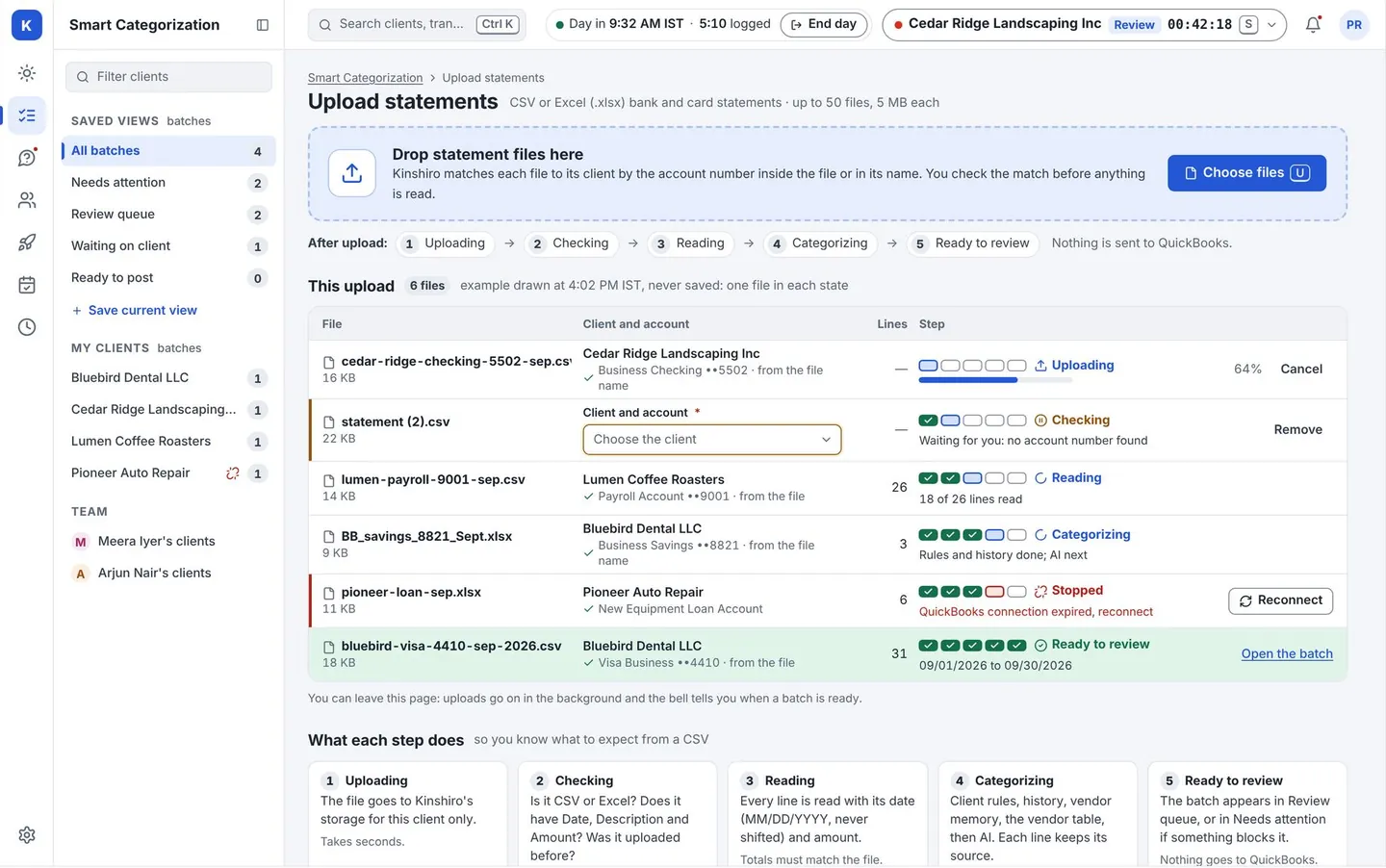
Upload
Drop a bank or card statement (CSV or Excel). Kinshiro matches each file to the right client and shows what it read: the columns, the dates, the totals. It warns you if the file overlaps one you already uploaded.
Time backNo retyping, and no hunting for a statement loaded twice.
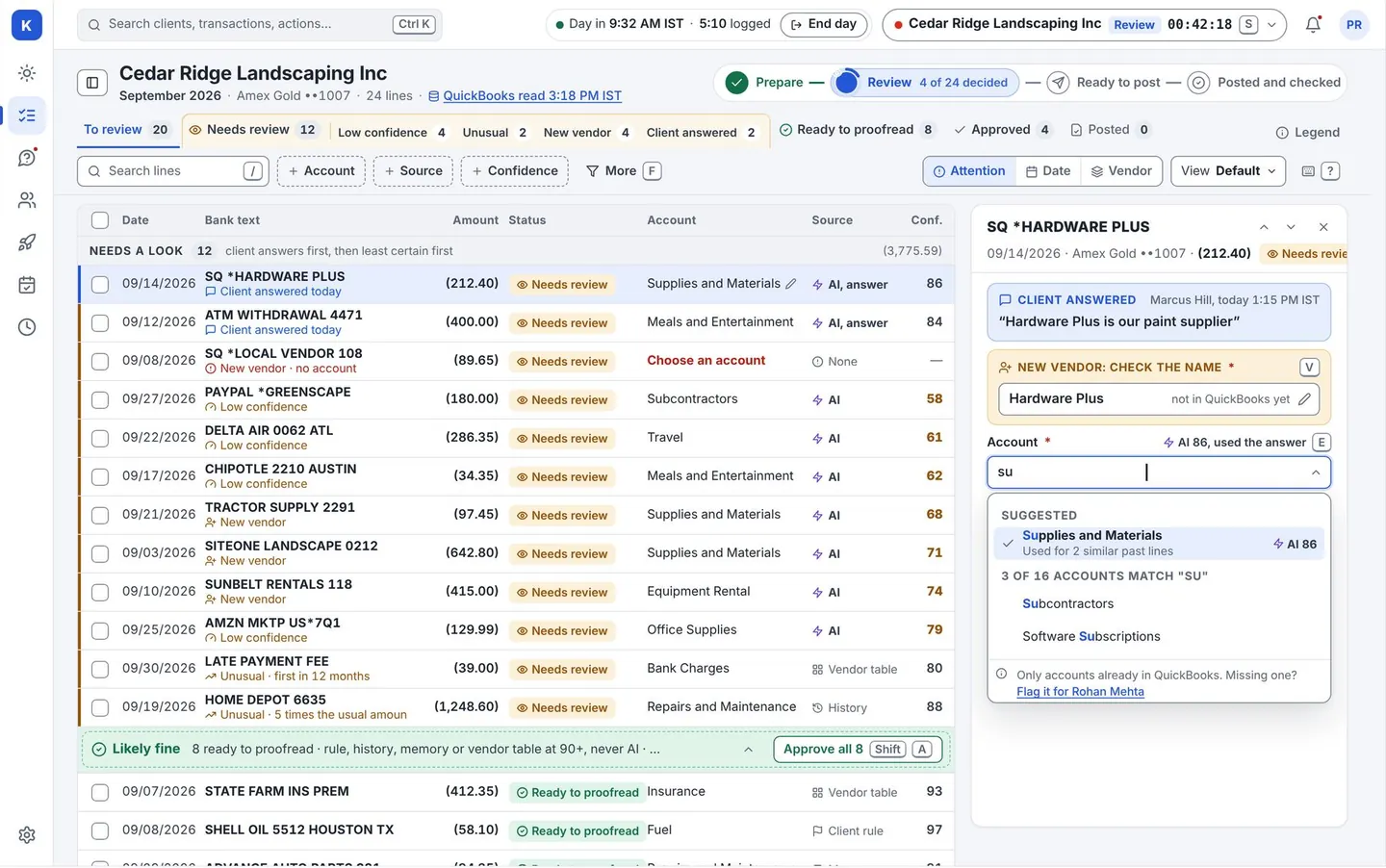
Kinshiro suggests
Each line gets a suggested category, chosen in this order:
- Your client’s own rules.
- What this client did on similar lines before.
- Vendor memory (what your firm decided for this vendor).
- A shared list of well-known vendors.
- AI, only for what is left.
Every suggestion carries a label saying which of these it came from, so a reviewer can see why, in one glance.
Time backRepeat vendors arrive with a suggestion and a reason, so attention goes to the unusual lines.
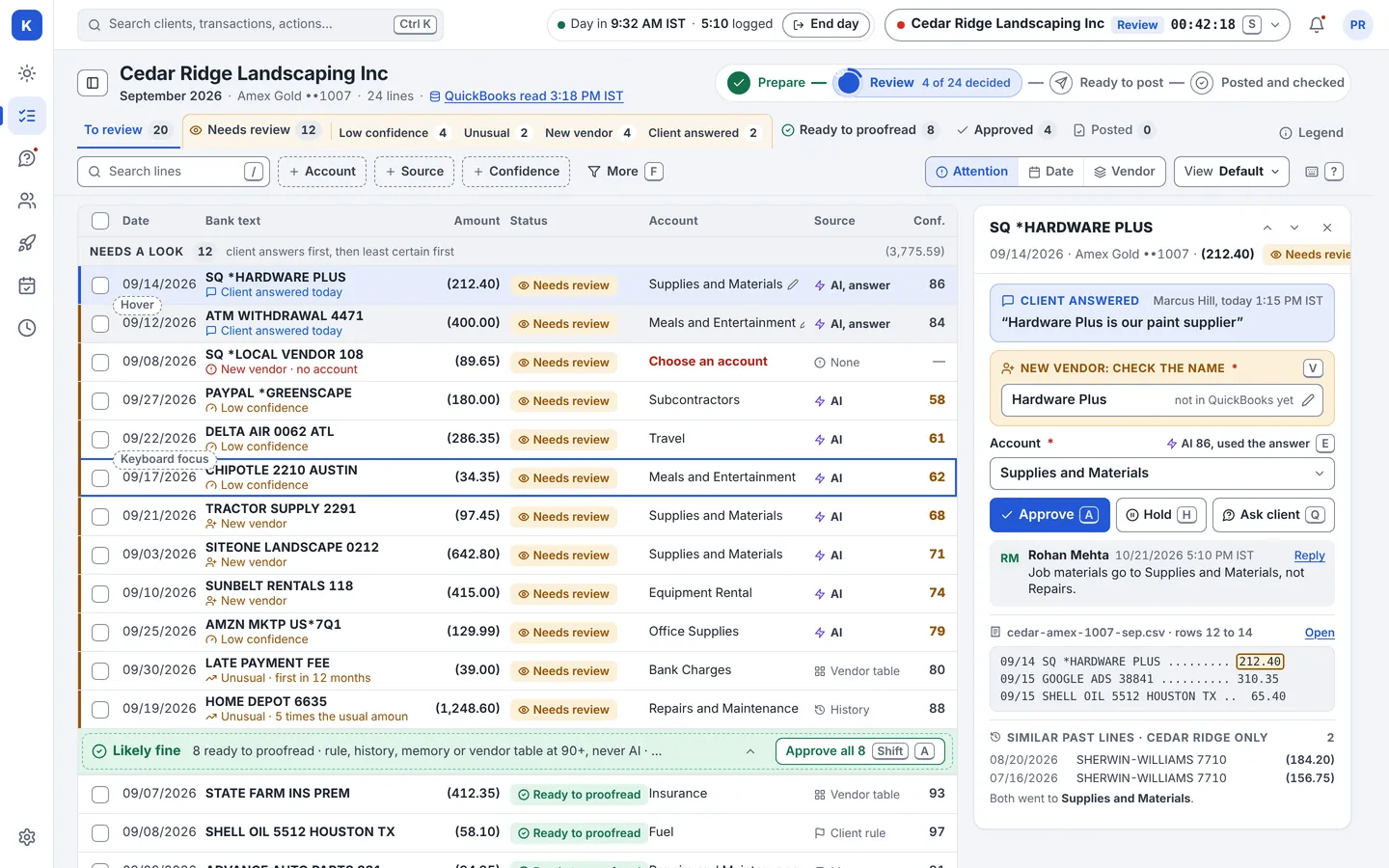
Your team reviews
Reviewers work through the table with the keyboard. They approve, change, or ask the client. A client can be set to one reviewer or two. If two reviewers disagree, it goes to the team lead.
Lower costWhole groups approve at once, and client questions start from the same screen.
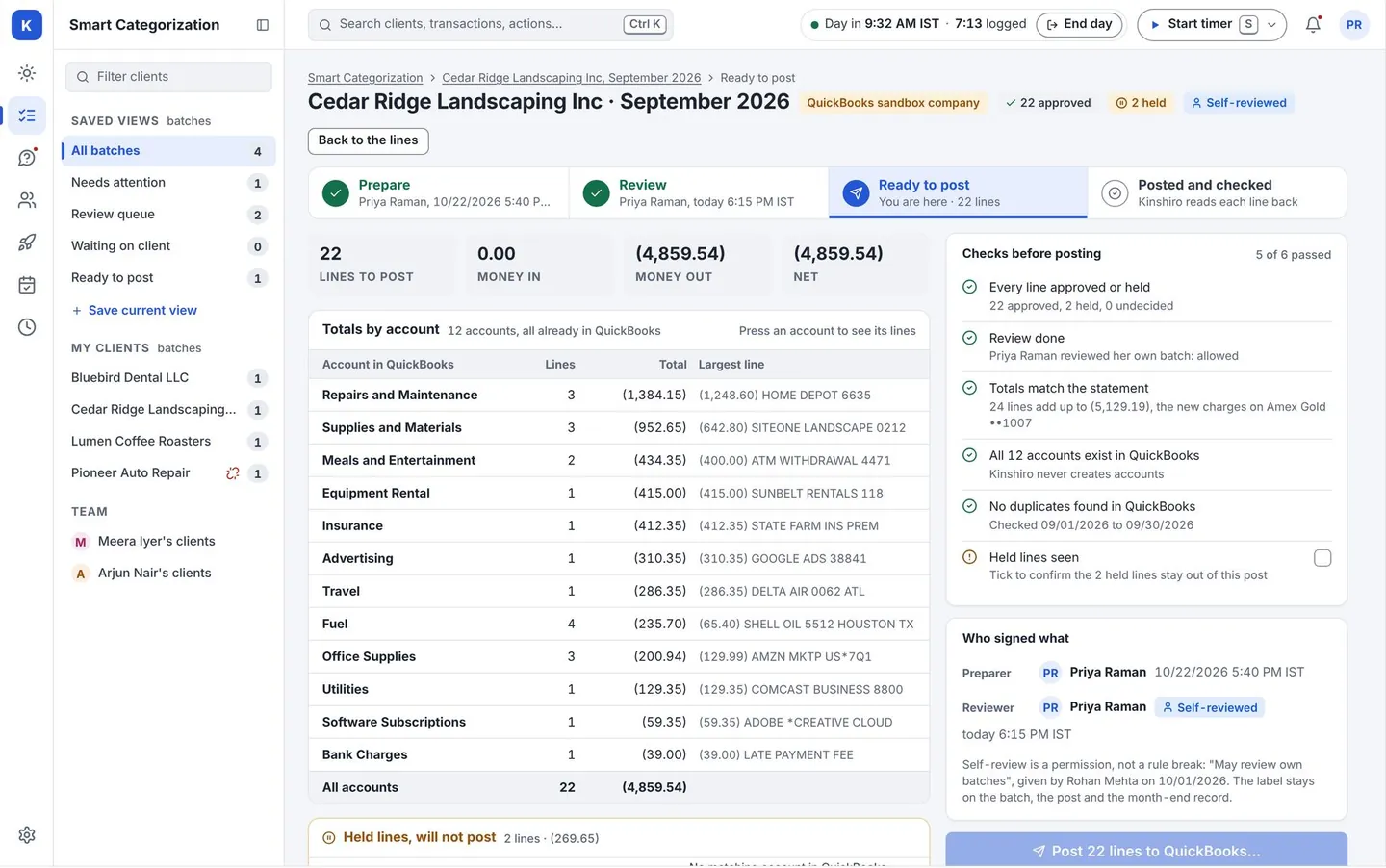
Post and check
A “Ready to post” page shows counts, totals and checks. A person confirms. Approved lines go to QuickBooks. Kinshiro then reads them back and shows any difference.
- Nothing is posted until a person approves.
- Posting is safe to retry. You do not get a second entry.
- If an account is missing in QuickBooks, Kinshiro flags it. It does not create accounts for you.
ControlNo duplicate entries to find and reverse.
Then: questions and the close
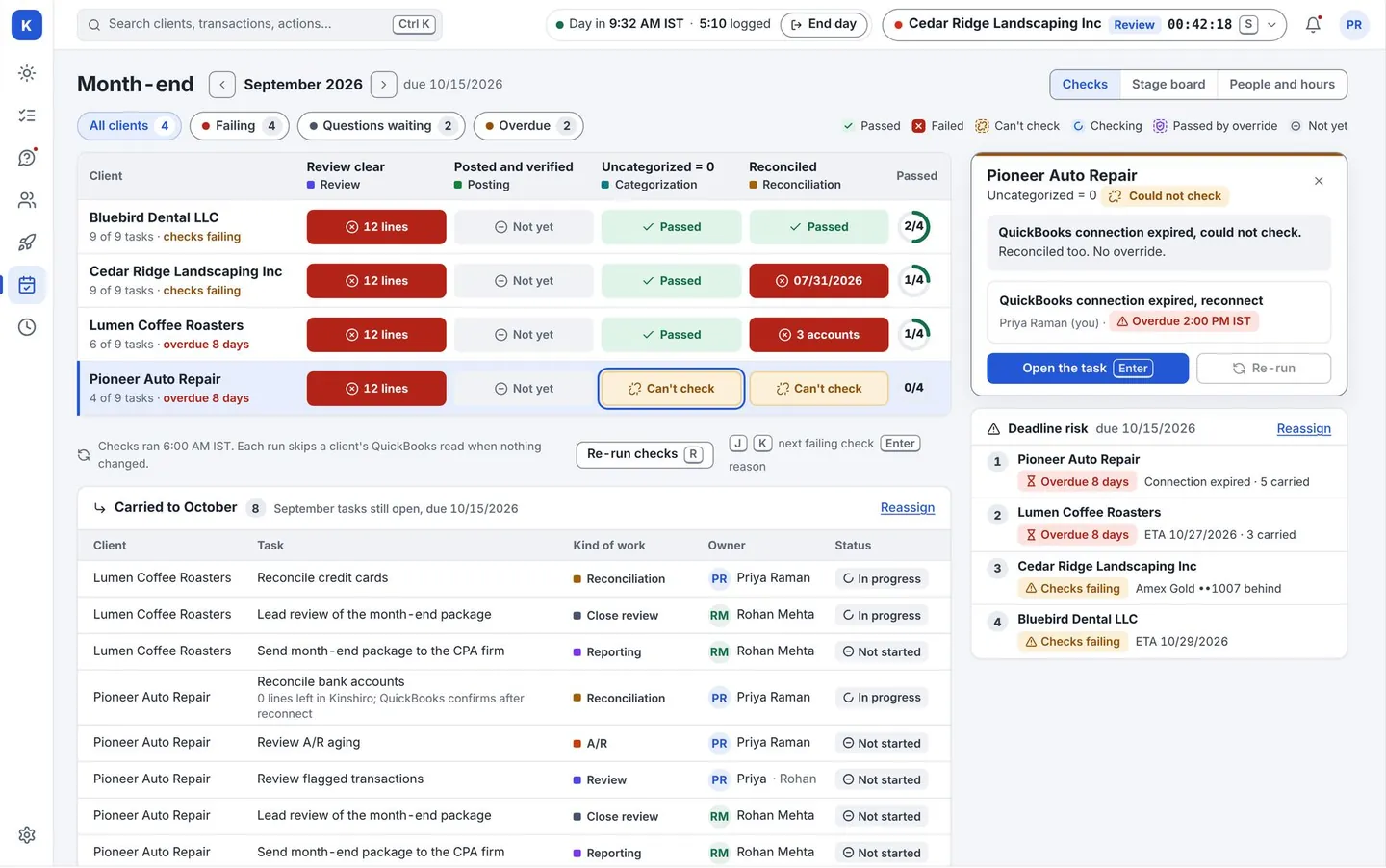
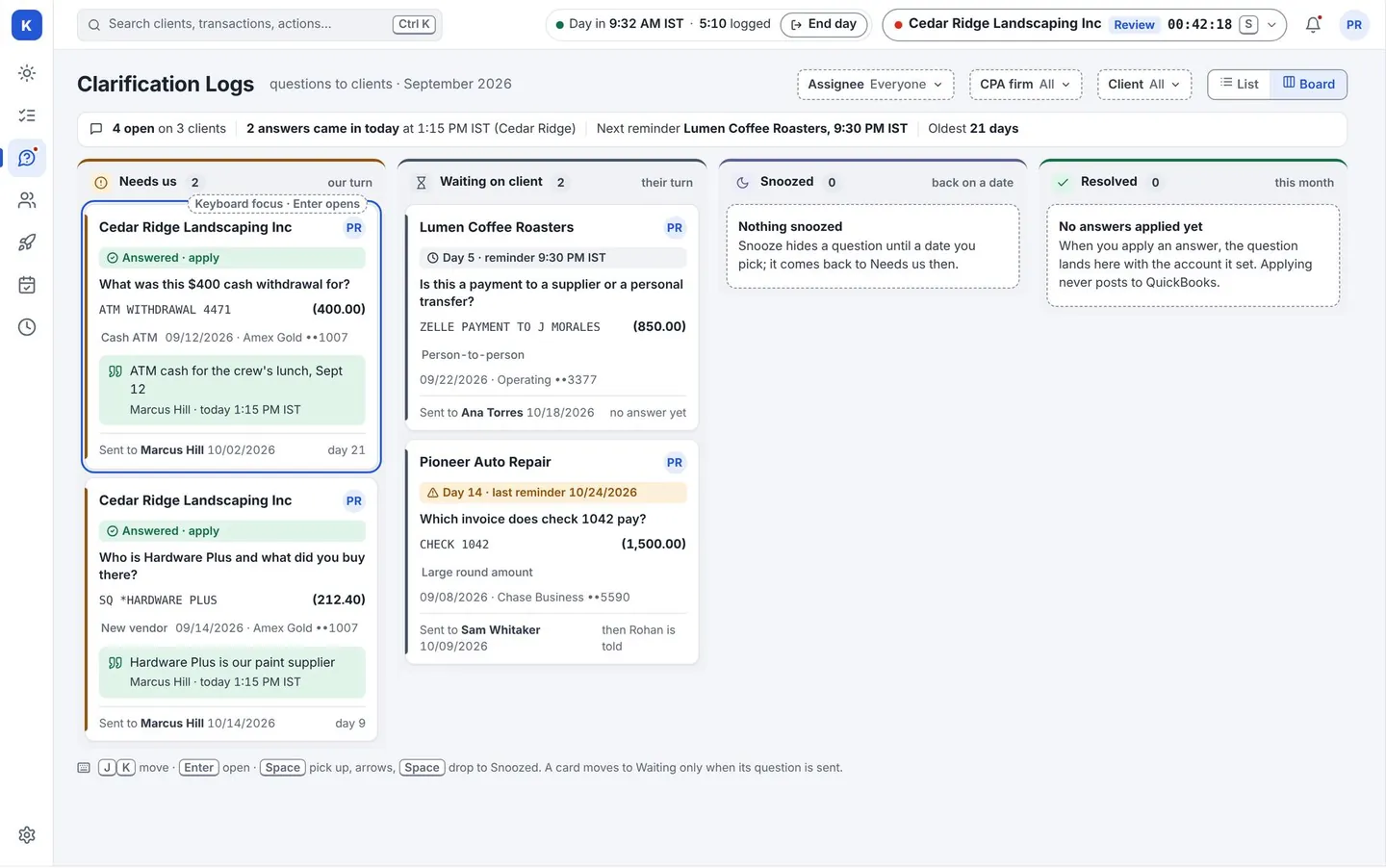
Anything still unclear goes into a grouped list of questions for the client. Once the lines are done, the month-end board shows what is left to close and what a check has caught.
Who does what
Software
Reads the file. Applies your rules. Suggests. Groups questions. Runs the checks. Posts what you approved. Reads it back.
Your people
Decide. Approve. Answer the hard ones. Sign off the close.
Works with QuickBooks Online.
See it on a client list like yours.
A live walk-through on sample data. We never use your clients’ real books in a demo.