What Kinshiro does
One place for the production line and for running the firm around it. Less time on repeat work, and a clearer view of every close.
Each colour shows what a feature does for the firm:Time backLower costQuicker closeControl
My Day
See capacity and what is overdue, without chasing anyone.
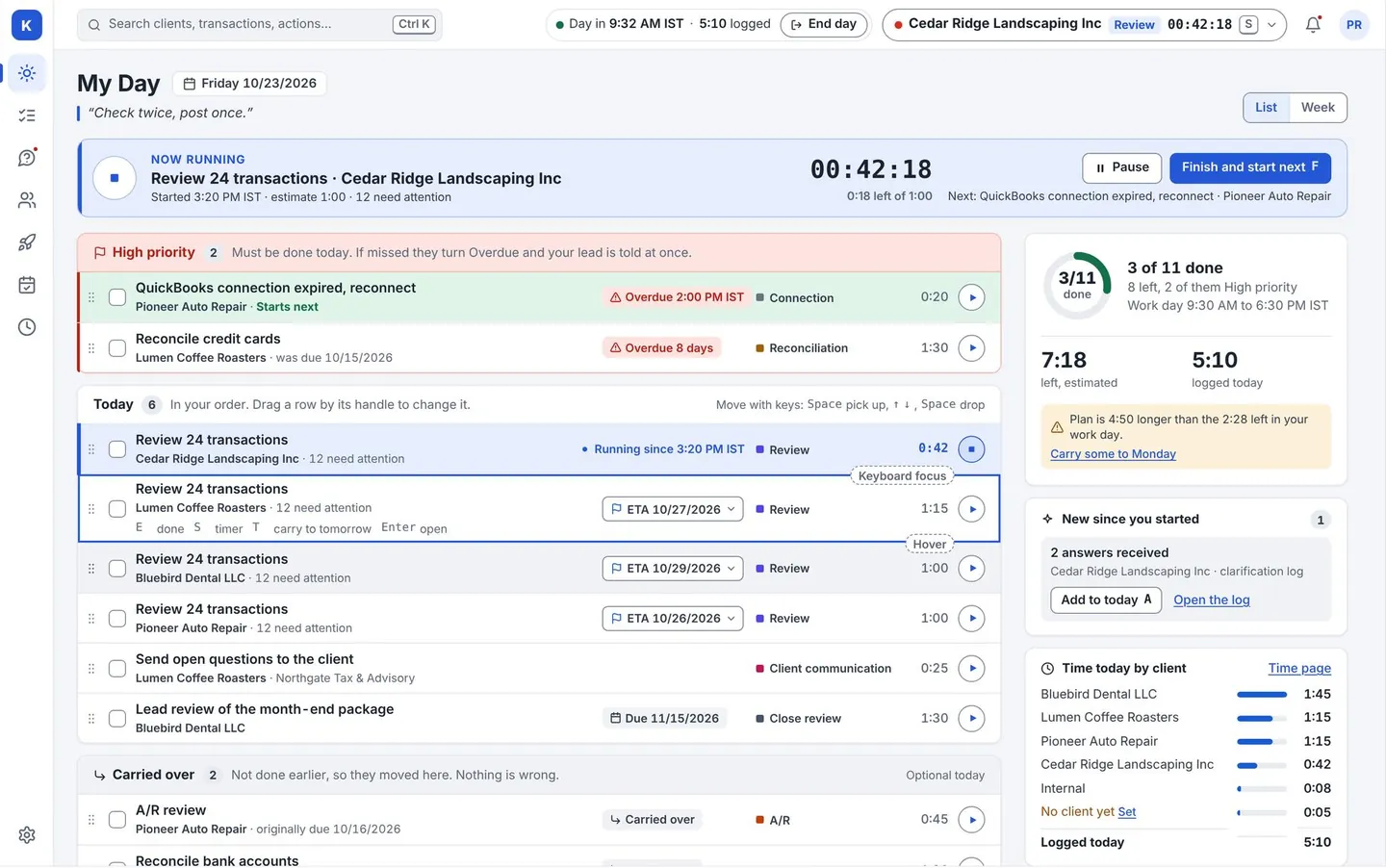
Time back- My Day gives each bookkeeper an ordered list of work. Missed work shows as “carried over”, not “failed”.
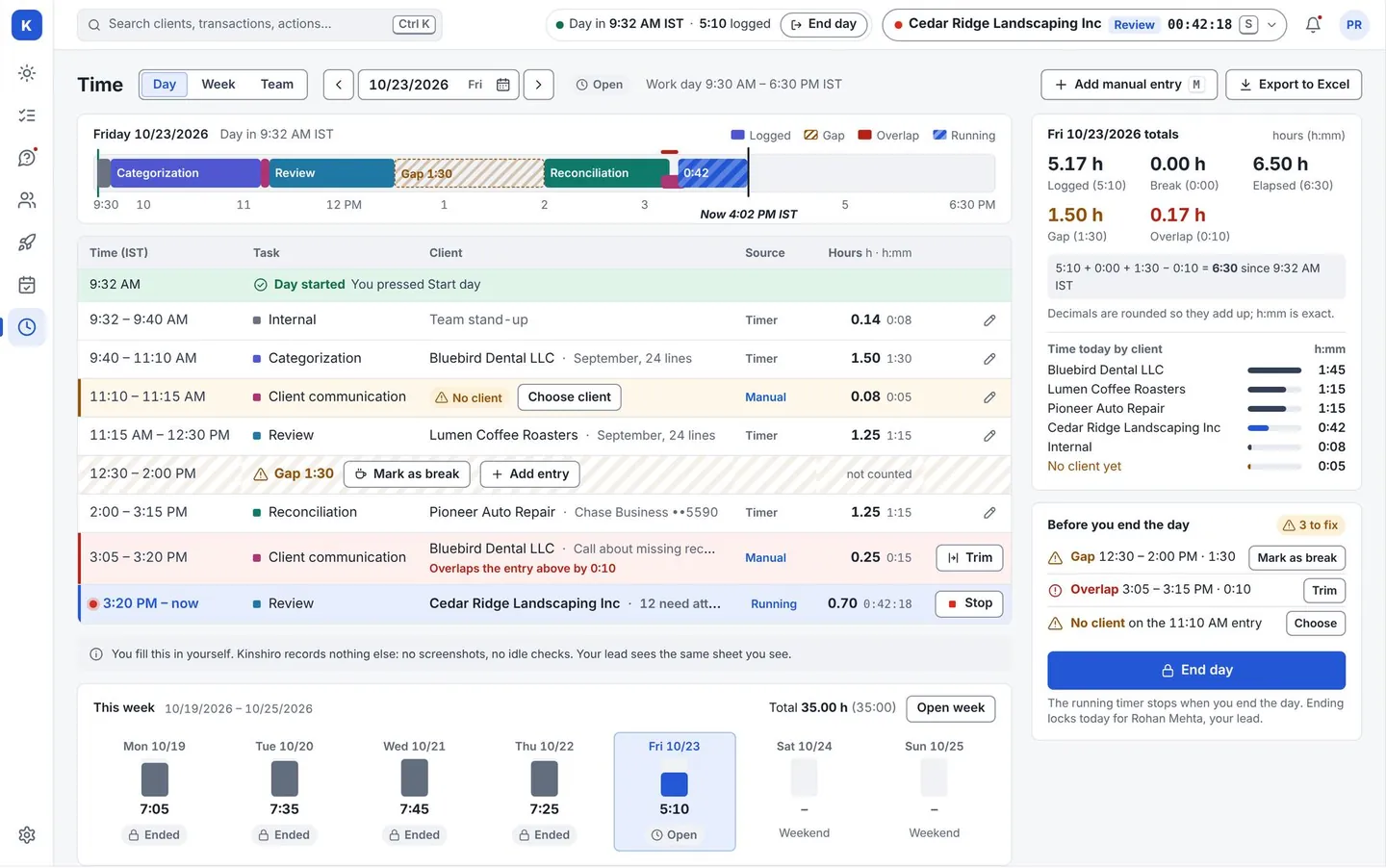
- A timer in the top bar, a day timeline, and an Excel export of time. People fill in their own log. There are no screenshots and no idle tracking.
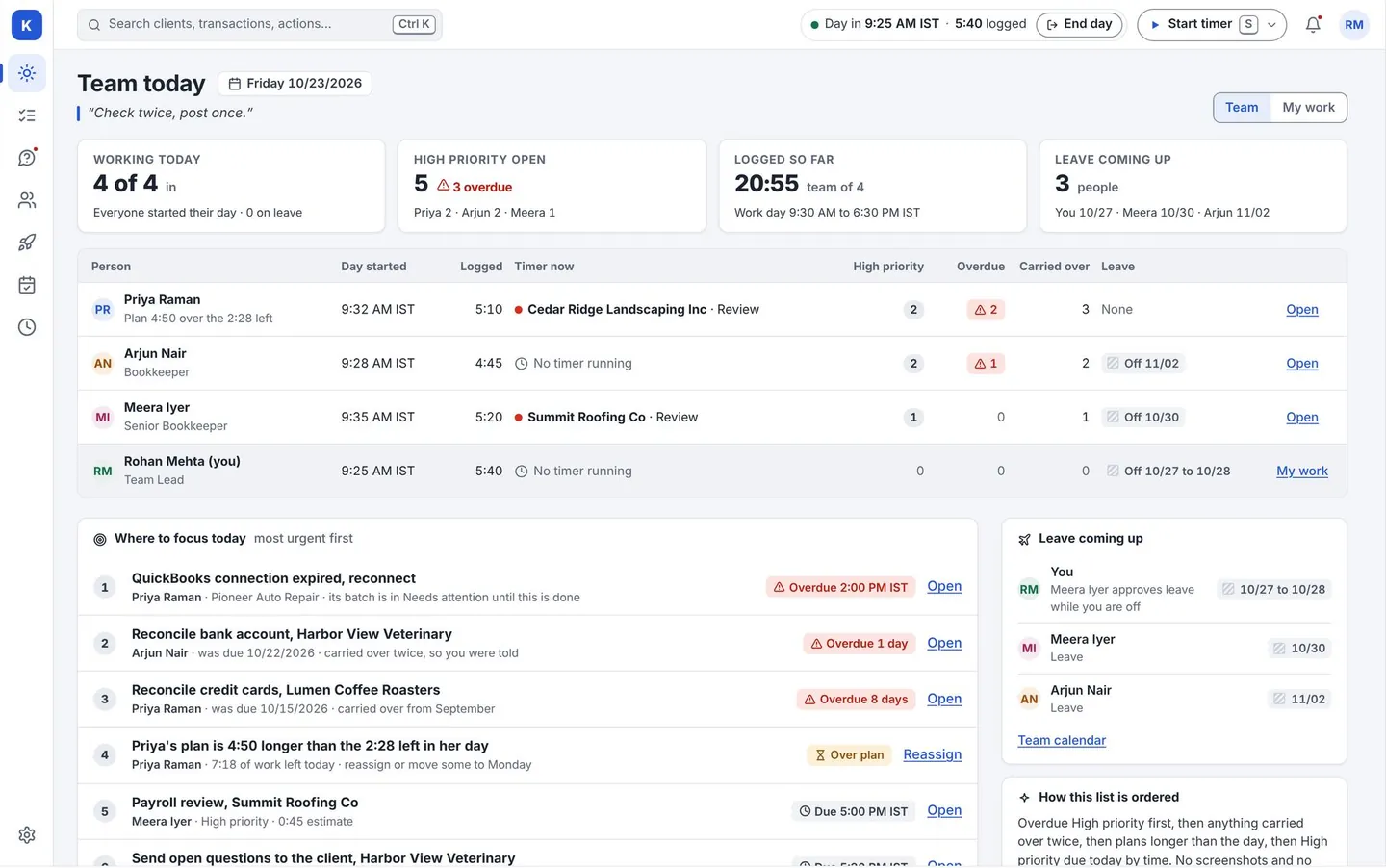
- Team leads see who is on what, who is overdue, and what needs attention first.
Smart Categorization
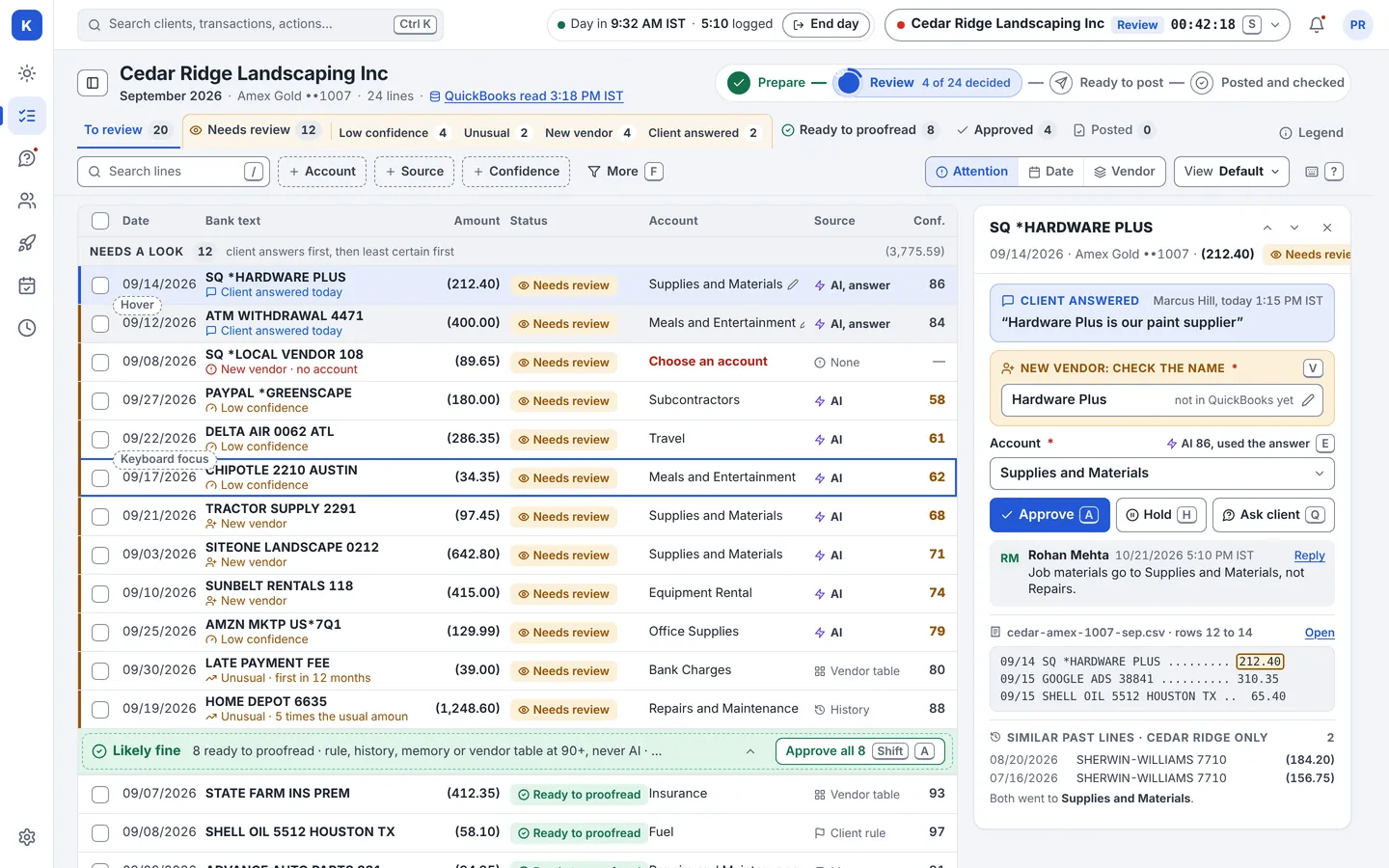
Stop paying for retyping. Review at the speed of a keyboard.
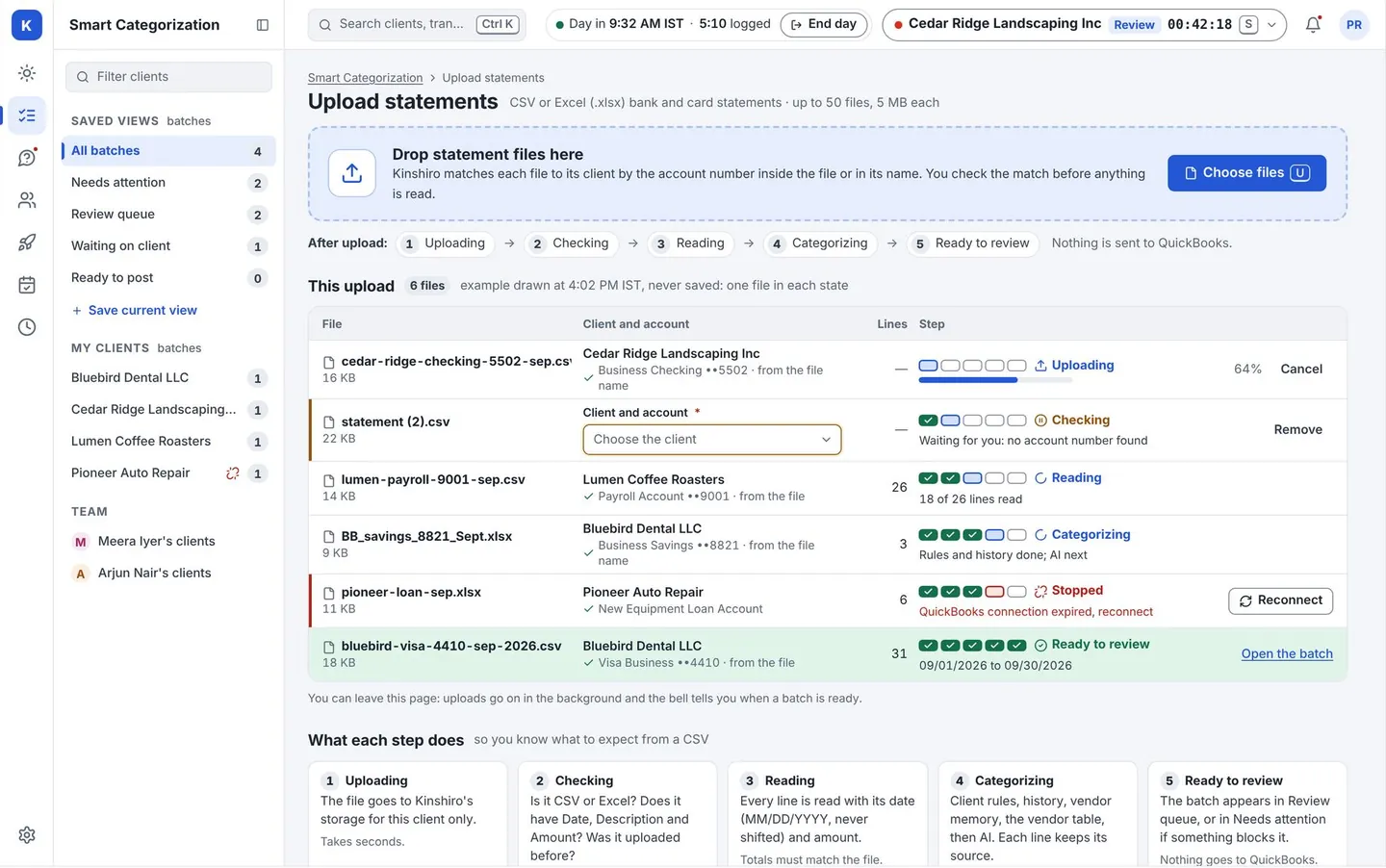
Time back- Reads CSV and Excel statements. Shows what it read, and warns about overlap with earlier uploads, before it goes further.
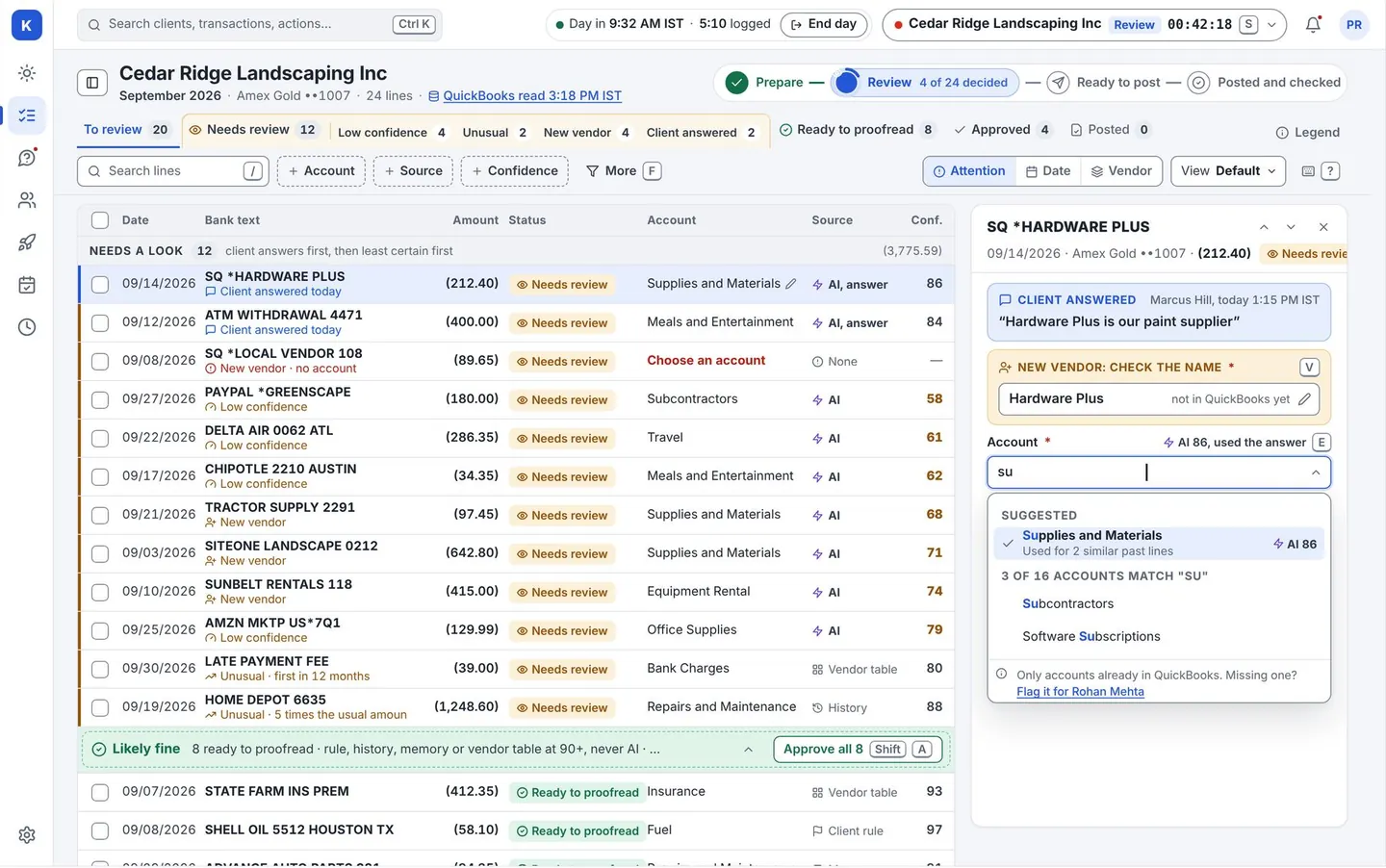
- Suggests a category for each line, and says where the suggestion came from: your client’s own rule, what that client did before, vendor memory, a shared vendor list, or AI for what is left.
- Move with the keyboard. Approve a whole group at once, such as all 14 Uber rows, and undo with one click.
- Open a line to see the evidence behind the suggestion. Not sure? Ask the client from the same screen.
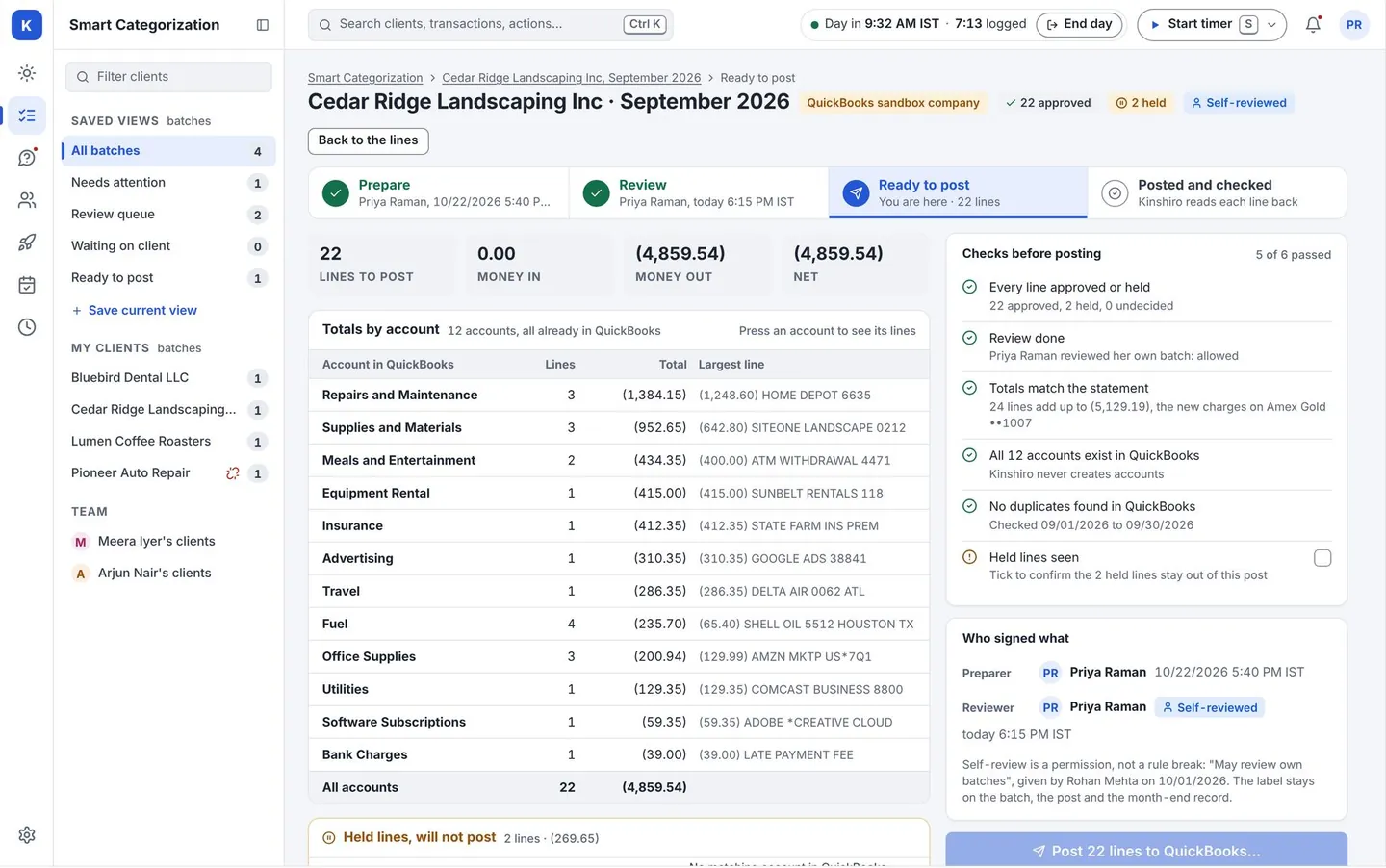
- Posts to QuickBooks Online after a person approves, then reads the entries back to confirm they landed.
Clarification Logs
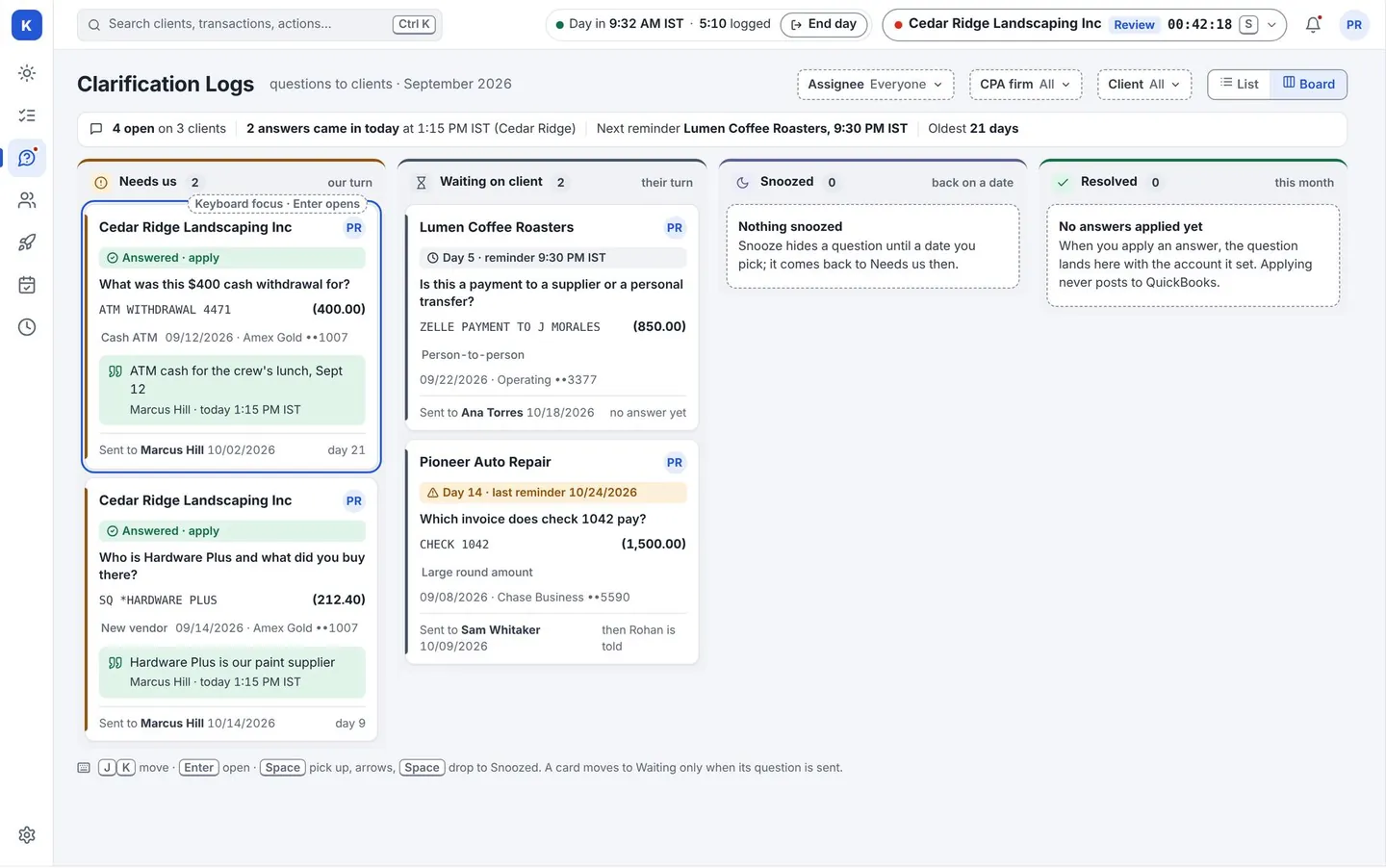
One short page per client, not six emails. Less chasing, fewer days lost.
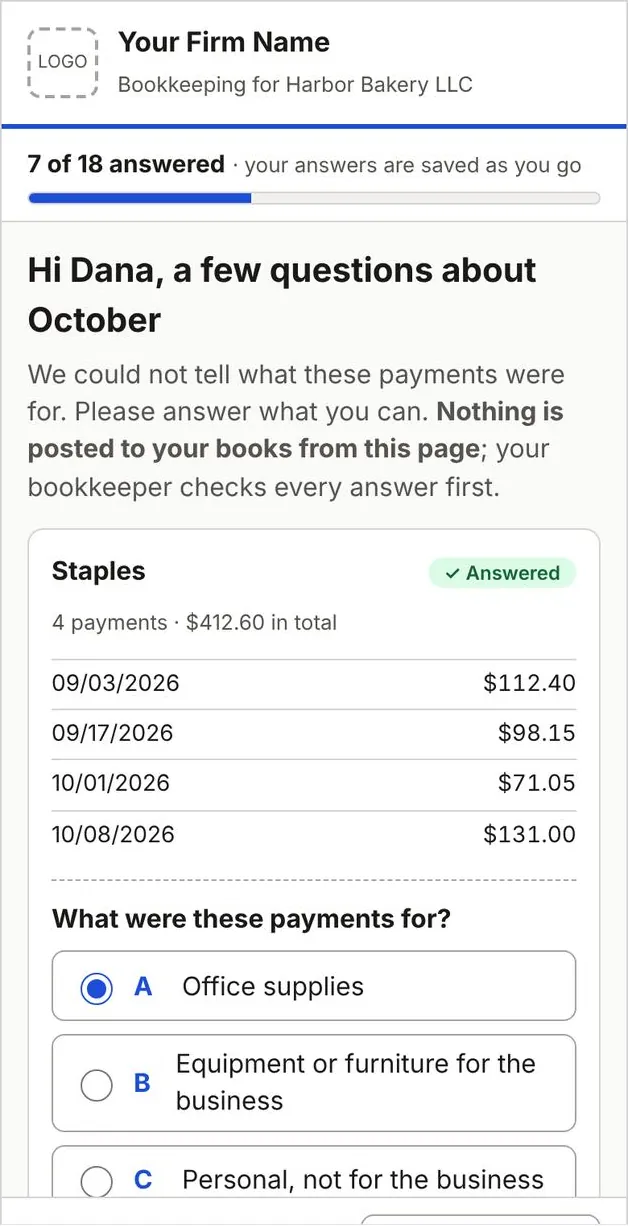
Quicker close- Kinshiro finds what is still unexplained, groups it by vendor (“14 Uber charges, all business?”) and drafts the questions.
- A person approves the questions before they are sent. The client taps an answer on a phone page. No login.
- Answers are checked by a reviewer before anything changes in QuickBooks. A repeating answer can become a rule, so the question is not asked again.
Clients
Catch the work you are not being paid for.
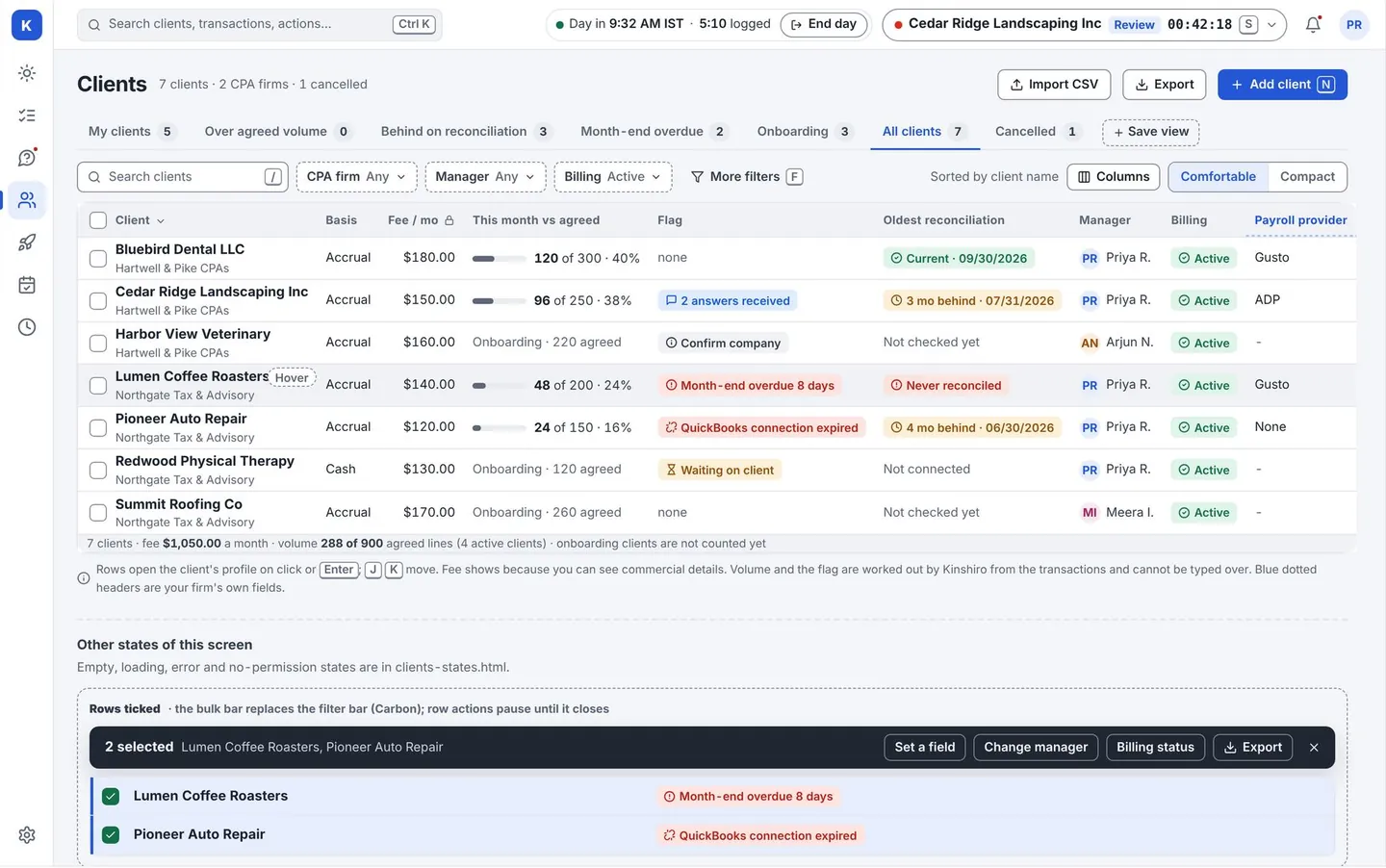
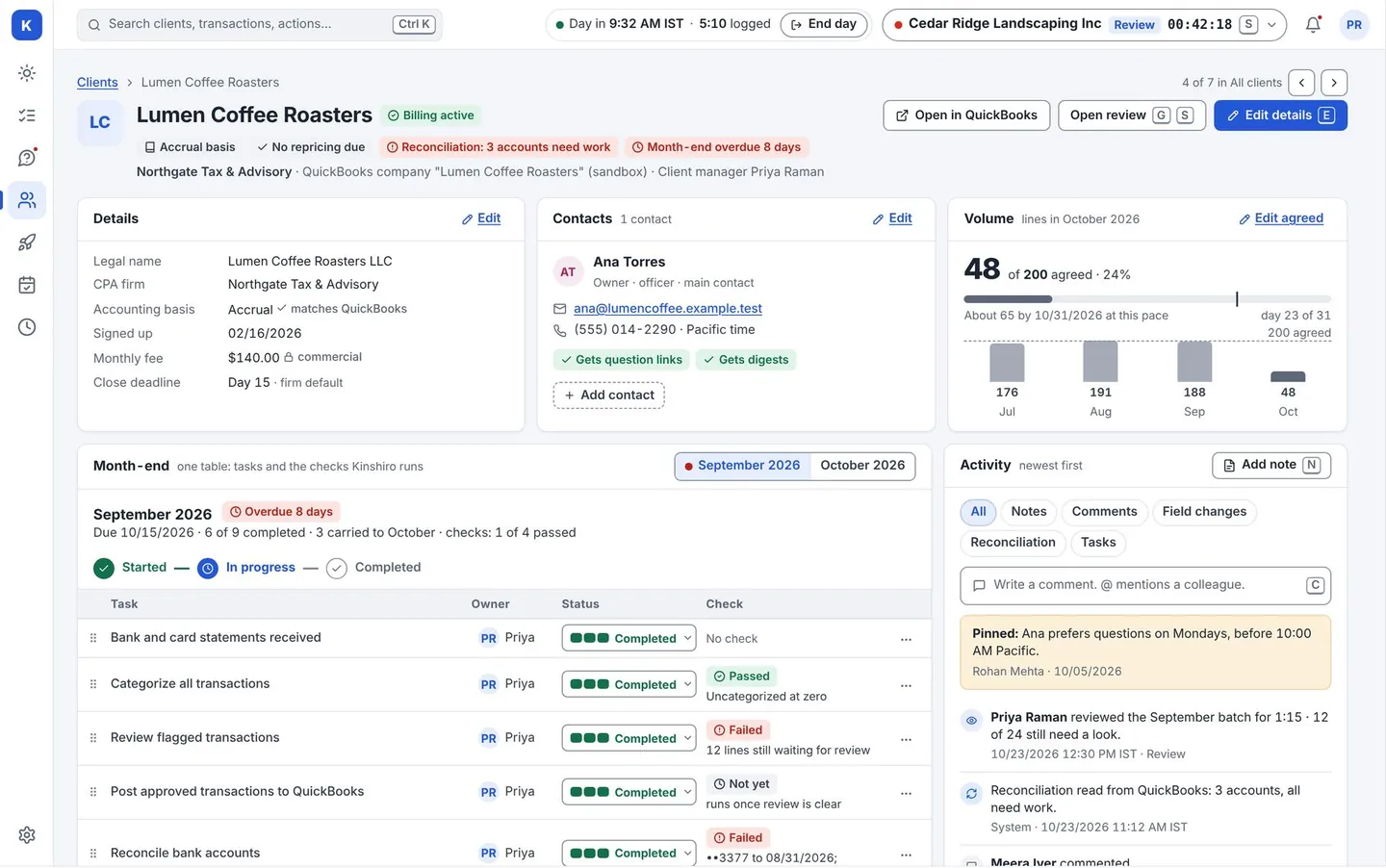
Lower cost- Contacts, accounting basis, sign-up date, agreed monthly volume, and fields and checklists you define yourself. Import from Excel or CSV.
- Compare transactions each month with the agreed volume. Kinshiro flags a client who stays over, so you can reprice on purpose.
- Fees are visible only to people you give that permission.
Month Close
See what is holding up the close before the deadline, not after.
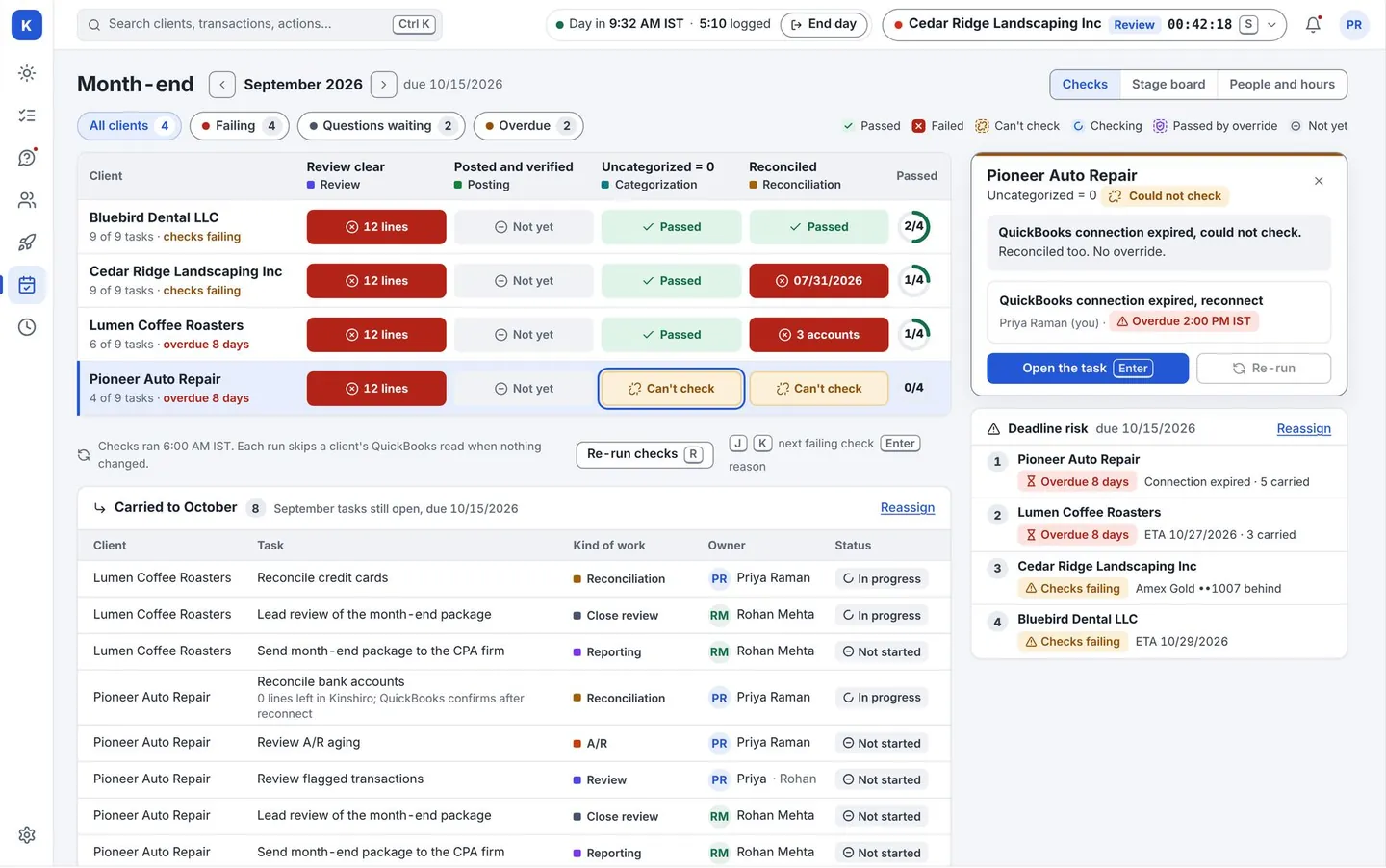
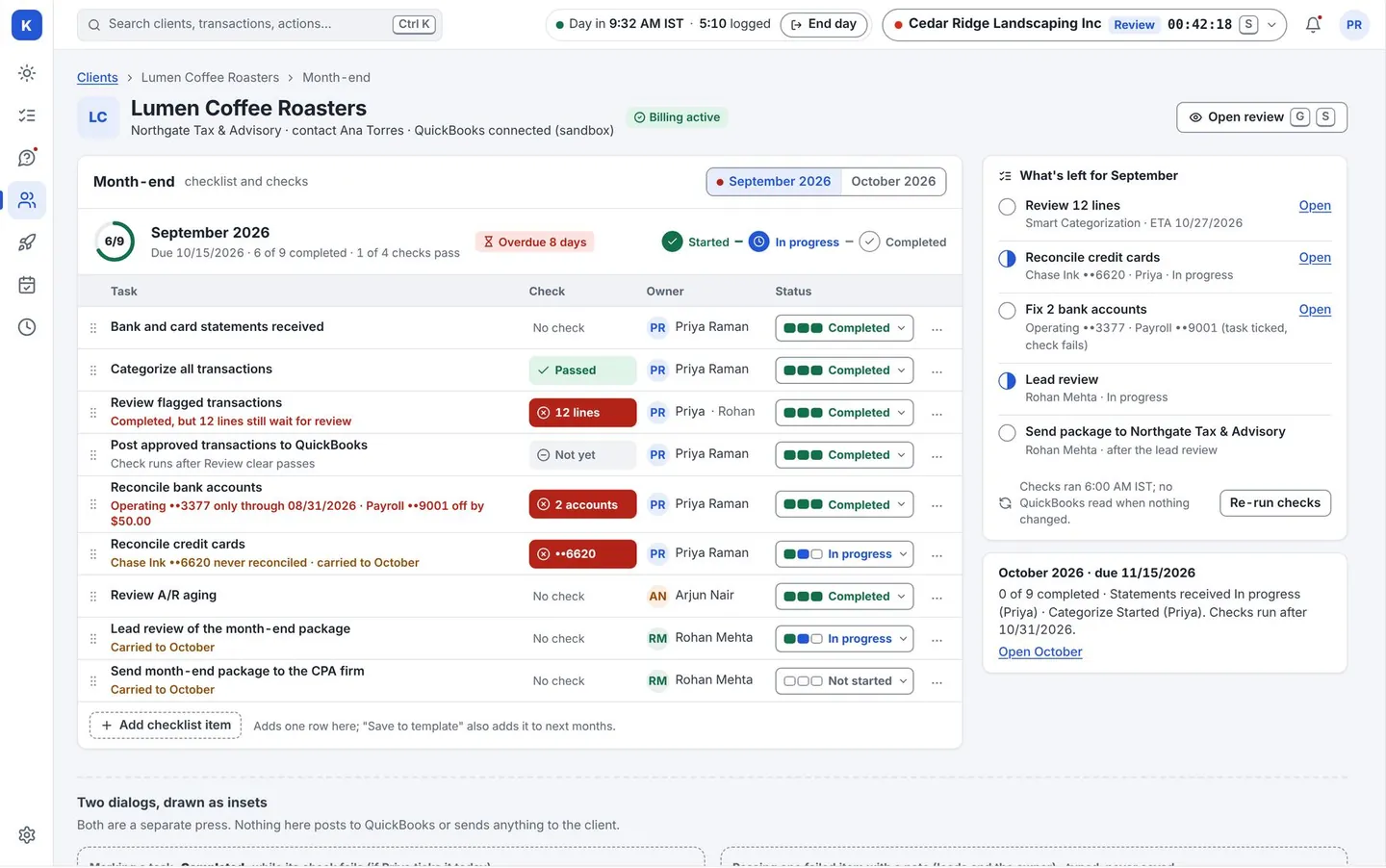
Quicker close- Checklists built from your own templates for each client and month.
- A task turns green only when its check passes. Overriding a failed check needs a lead and a note.
- Hand-offs, deadlines, and carry-over to the next month. Reconciliation status for each bank and card account.
Onboarding
Connect QuickBooks for one client or hundreds, without a backlog.
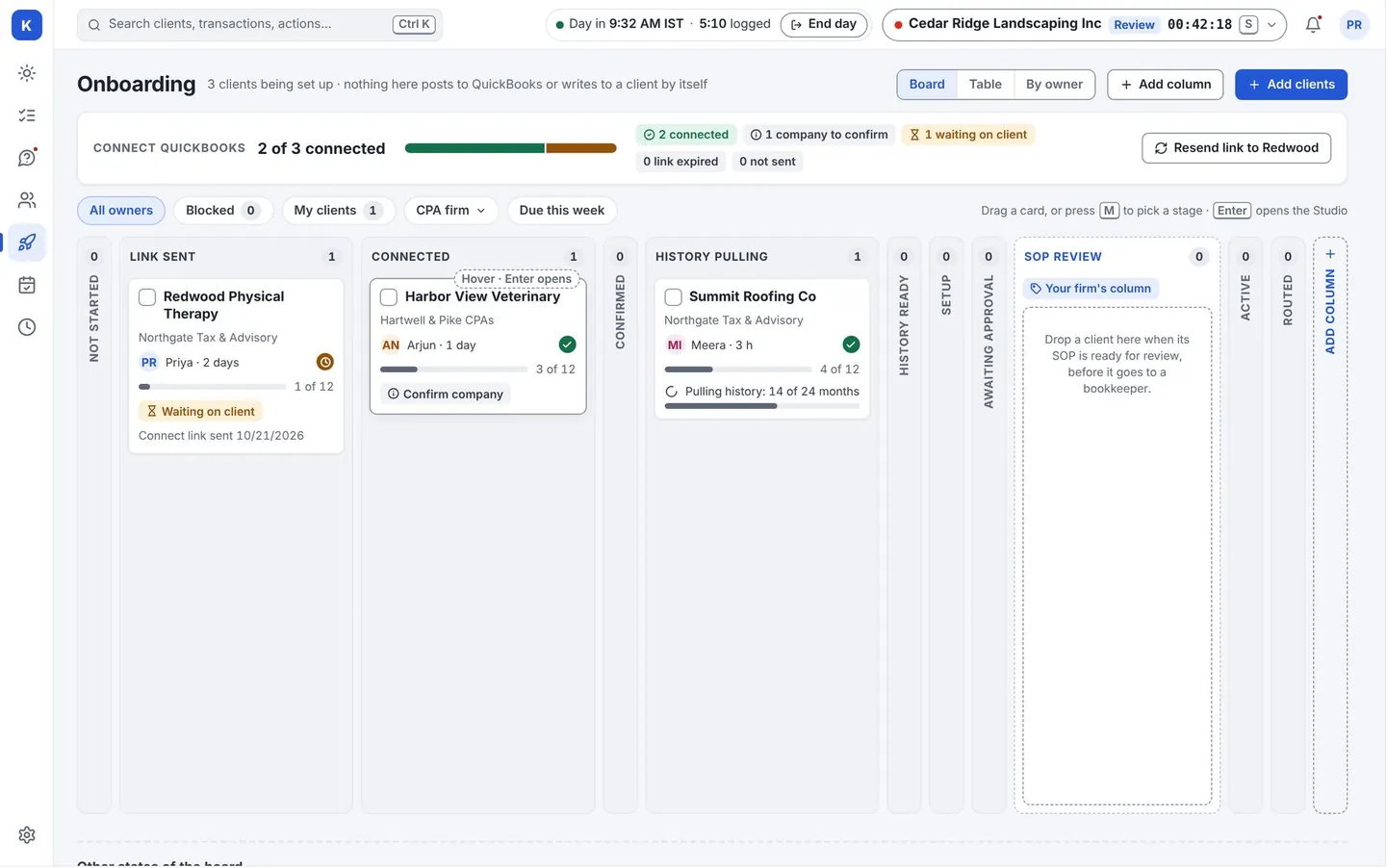
Lower cost- Send each client’s contact an emailed link. They sign in at Intuit and approve access. A second person at your firm confirms it is the right company.
- An onboarding board shows where every new client stands, from link sent to history pulled.
- The first history pull helps Kinshiro learn the client’s usual rules.
For your CPA firms
Fewer status emails. They see where things stand on their own.
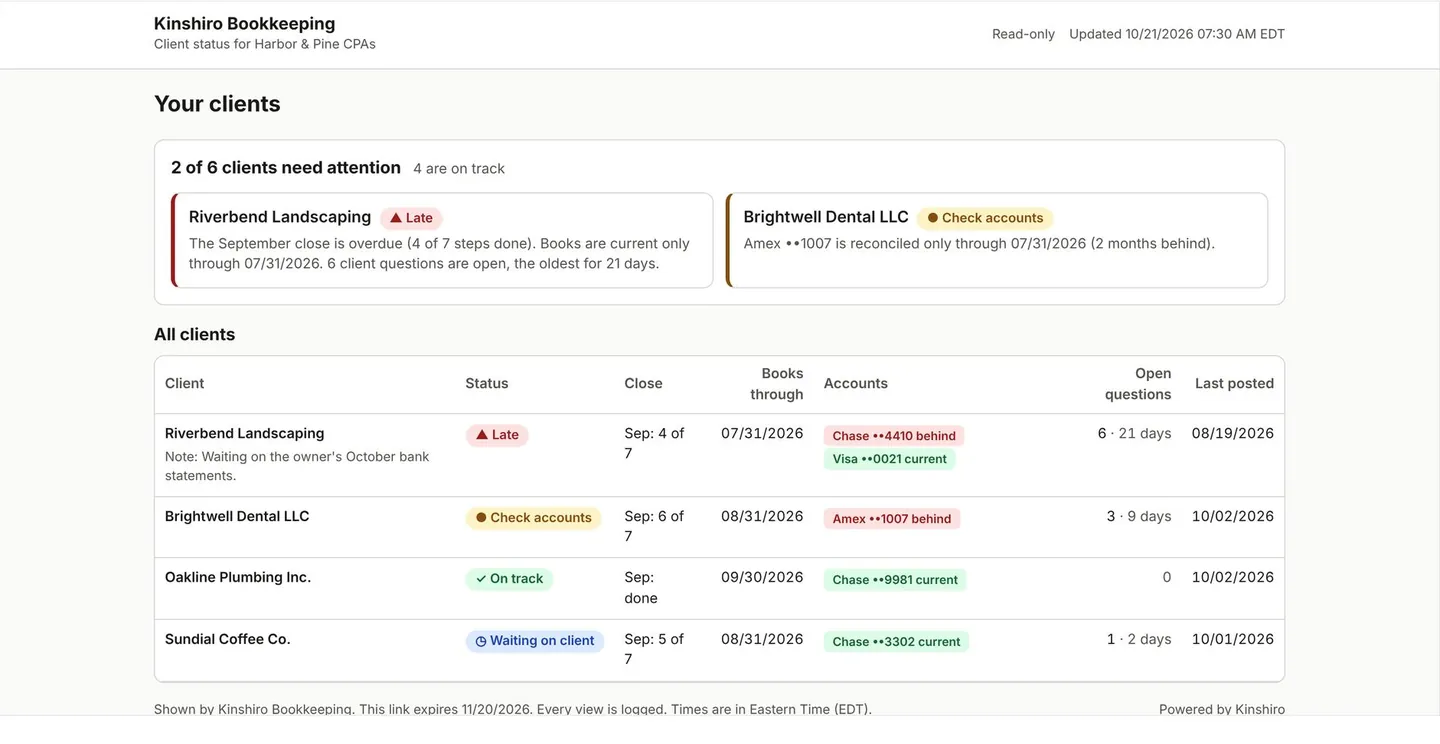
Quicker close- A status page that puts the clients needing attention first, then the full list.
- Opens by a link or a sign-in. Read-only. Every view is logged.
- Weekly digests by email, with the day and time each person chooses.
People, roles and records
Decide who sees what, and keep a record of every change.
Control- Your own org, roles and teams. Copy a built-in role and edit it.
- A record of who changed what, and when. Every value shows its source.
- Inside the app, Kinshiro staff can look at a client’s data only after you approve a support request, each time.
- Take your data out any time: export, then deletion rules for when you leave.
Coming after launch
- Reading PDF statements.
- Accounts payable.
- Email hub with AI, team chat, and document storage (Pro).
- Automatic approval for clients that qualify, switched on by you.
- Xero. (QuickBooks Online only today.)
Dates are not promised. Ask us what is next.
See it on a client list like yours.
A live walk-through on sample data. We never use your clients’ real books in a demo.